
How to Cancel Your ZenBusiness Free Trial
If you signed up for a free trial of ZenBusiness services and need to cancel before you’re charged, good news: you can do it directly from your dashboard in just a few clicks, no phone call required. Here’s exactly how to do it.
Before You Cancel: What to Expect
When you cancel a free trial, your subscription is updated so it will not auto-renew. That means:
- You’ll keep access to the service through the end of your trial period
- Your access will be removed and the service will be cancelled when the trial period ends
- You won’t be charged when the trial ends
- You won’t be charged any cancellation fees.
How to Cancel Your Trial
Step 1: Log in to your ZenBusiness dashboard
Go to www.zenbusiness.com/login/ and sign in to your account.
Step 2: Navigate to Billing
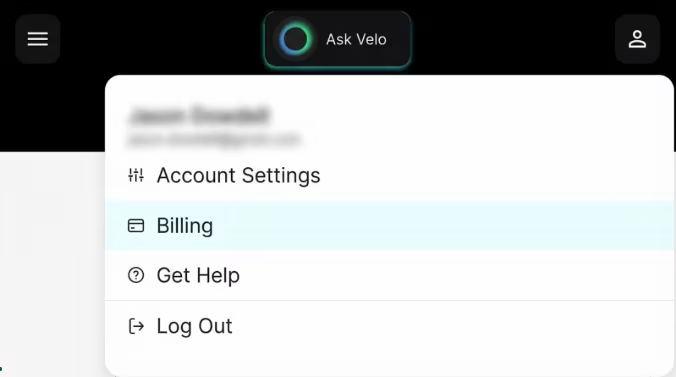
In your dashboard, click on the Account tab in the top right corner of the dashboard and then click on Billing.
Step 3: Find your trial subscription
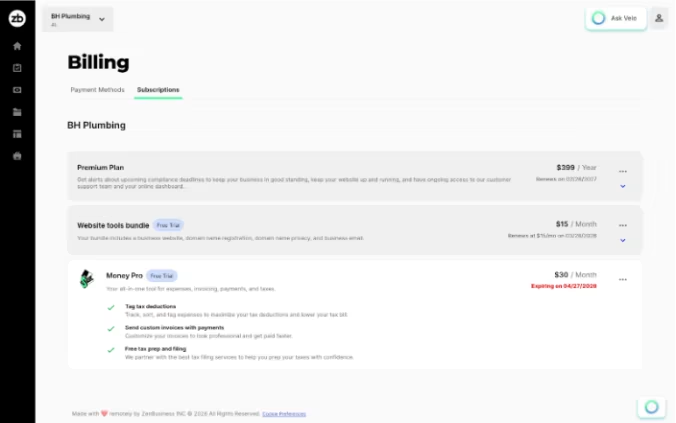
Under Billing, locate your trial subscription. You’ll see your current trial status and renewal date listed here.


Step 4: Cancel your trial
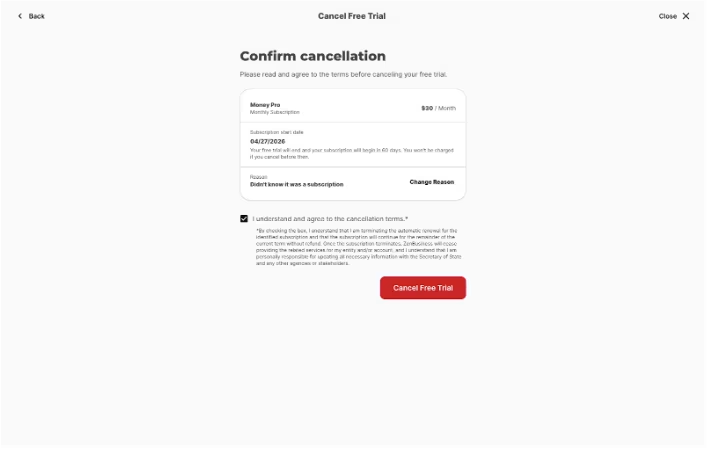
Answer a few questions and then select the option to Cancel Free Trial to the trial. You’ll be asked to confirm.
Step 5: Confirm cancellation
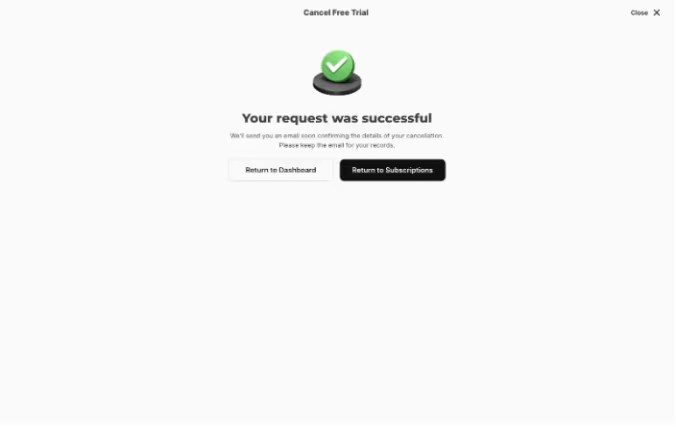
After canceling your trial, be sure you see a confirmation message that your trial has been set to expire at the end of your trial period.
Frequently Asked Questions
Will I lose access immediately after canceling my free trial?
No. When you cancel a free trial, you keep full access through the end of your trial period. Your service simply won’t renew after that date.
What if my trial has already converted to a paid subscription?
Unfortunately, you cannot cancel from your dashboard once a trial is converted into an active subscription. You’ll need to contact support to process a subscription cancellation.
What if I don’t see a cancel option in my dashboard?
If you’re having trouble finding the cancellation option, our support team can help. You can reach us at [support link] or via live chat in your dashboard.
Need Help?
If you run into any issues canceling your trial, our team is here. Reach out via our contact page and we’ll get it sorted quickly.